Before You Trust an AI Financial Model, Check These Five Things
in Fractional CFO, AI, Analytics, Finance, Financial Planning and Analysis, All Posts
AI can build a financial model in seconds, but that does not mean the model is ready for a board meeting, an investor conversation, or a major operating decision. A polished model can still produce precise numbers from incomplete data and unrealistic assumptions.
AI is a powerful modeling assistant, It is not accountable for the decision.
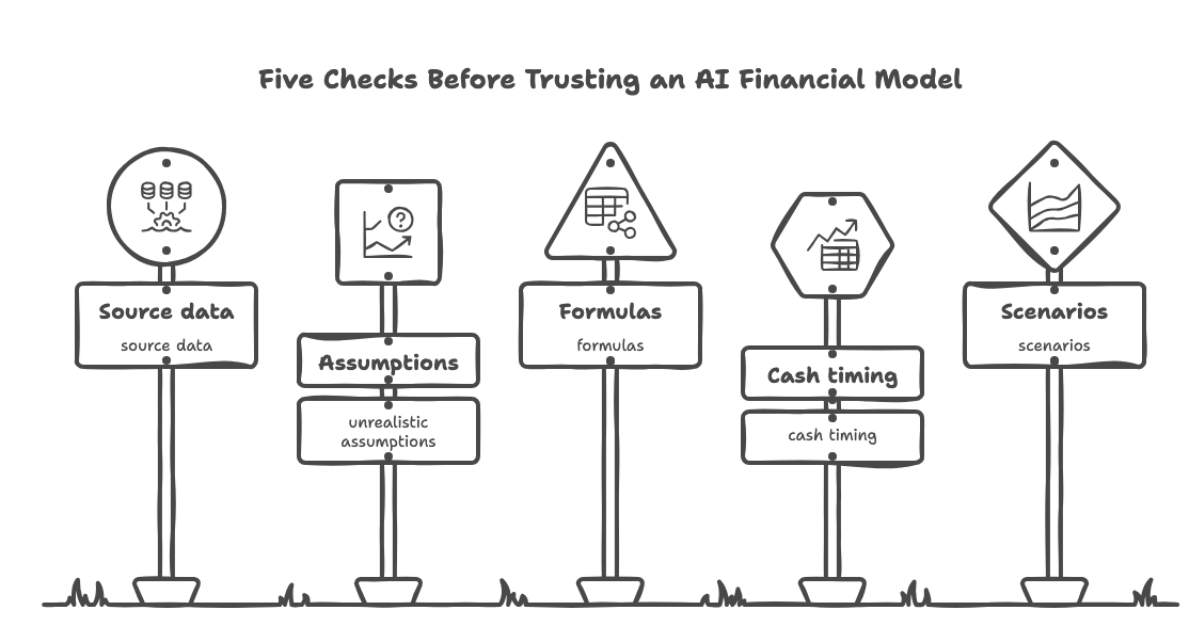
TL;DR: AI speeds up data preparation, template building, check sum creation, and model audits. It cannot replace judgment. Use it to clean your data, direct the build yourself (expenses, prepaids, and cohort revenue each need specific instructions), connect revenue to a template your head of sales owns, and let AI find and program the check sums that prove the model ties out. Then review five areas before anyone relies on the output: source data, assumptions, formulas, cash timing, and scenarios.
Start With the Data, and Let AI Do the Heavy Lifting
Most modeling time goes to data work, not modeling. This is where AI earns its keep.
We use AI to turn messy exports into clean, consistent inputs. It can standardize vendor names, flag duplicate transactions, map inconsistent account classifications to one chart of accounts, and fill the obvious gaps in a payroll roster. It can read a stack of vendor contracts and pull out start dates, end dates, and payment schedules. It can compare a general ledger export to a bank file and list the differences.
That work used to take days. It now takes an afternoon. But the output is a draft. Someone who knows the business must review what the AI changed, especially reclassifications. An AI that quietly moves a $40,000 expense from one-time to recurring will distort every period that follows.
The rule is: Let AI prepare the data, but keep a human accountable for approving it.
Be Prescriptive About the Build
A model built from a vague prompt gives you vague mechanics. The better approach is to tell the AI exactly how each part of the model should work. Different parts of the forecast need different instructions.
Expenses are the easier part. Most recurring expenses tie to headcount, a contract, or a percentage of revenue. Payroll comes from a roster with start dates, salaries, and benefit loads. Rent comes from a lease. Software comes from a vendor list. Each driver is visible and checkable.
Prepaids need more care. Insurance, annual software licenses, and trade show deposits hit cash in one month and the income statement over many. If the model treats them as a flat monthly cost, the cash forecast is wrong. The payment dates and coverage periods must come from source files, such as the policy, the invoice, or the contract. Tell the AI to read those dates from the documents and build a schedule that shows the cash month and the amortization months separately. A $60,000 annual insurance premium paid in March should drain cash in March and expense $5,000 a month for twelve months.
Revenue is harder, especially when it is cohort driven. If you sell subscriptions, memberships, or recurring service contracts, revenue depends on when each group of customers started and how they behave over time. A cohort that signed in January retains and expands differently than one that signed in July. A single blended churn rate hides this.
Be explicit with the build. Specify the cohort start month, the starting count and price, the retention curve by month of life, any expansion or price increases, and the billing terms. Pull the retention curves from historical customer data, not from an assumption. Then ask the AI to show the cohort table so you can see every layer. If you cannot see the cohorts, you cannot challenge them.
Connect Revenue to a Template Your Head of Sales Can Update
The most common reason a forecast goes stale is that only the finance team can change it. Sales learns something on Tuesday. Finance hears about it at month-end.
Fix this by separating the inputs from the model. Build a simple template for your head of sales with only the drivers they know best: new deals by month, expected close dates, deal size, product mix, and pipeline stage probabilities. Nothing else. No formulas to break and no tabs to wander through.
The template feeds the model directly. When the head of sales updates the pipeline, revenue, cash, and headcount needs update with it. A reforecast becomes a thirty-minute review instead of a two-week project. It also puts ownership where it belongs. The person who controls the sales number maintains the assumptions behind it.
Where Claude in Excel Fits
We are fans of the Claude add-in for Excel. It works inside the workbook, where the model already lives, so there is no exporting data, pasting it into a chat window, and carrying results back by hand.
It is especially useful for building templates. The head of sales template works best when it is simple, consistent, and hard to break. We describe the drivers, the layout, and the rules, and Claude builds the structure: input cells, dropdowns for stage and product, and the formulas that feed the model. We still decide what goes in the template. A first draft takes minutes instead of hours.
It is also useful for audits. We ask it to trace a number back through its formulas and explain what an inherited formula does, which helps when you pick up a model someone else built. It speeds up the review. It does not replace it.
Let AI Find and Build the Checks
A balance sheet that balances is the most basic check. In a complex model, it is not enough. A model can balance and still be wrong. The better practice is a second path to every important number, with the model comparing the two. The problem is that nobody has time to find every place a check belongs. This is where AI does its best work.
AI is good at finding where checks should go. Point it at a finished model and ask: where does the same number appear twice, and where is there no check? It reads every tab and traces the relationships faster than a person can. In a typical model, it will surface things like these:
- Total revenue by cohort should equal revenue on the income statement.
- Payroll by department should equal payroll in the headcount schedule.
- The prepaid schedule’s ending balance should equal the prepaid line on the balance sheet.
- Debt schedule balances should equal the balance sheet, and scheduled interest should equal interest expense.
- Ending cash on the cash flow statement should equal cash on the balance sheet.
- The head of sales template totals should equal the revenue the model picked up.
Our own list usually covers most of these. The value is in the ones we missed, such as a deferred revenue rollforward that never tied back to the balance sheet, or a tax line calculated twice with two different results.
Reconcile derived analyses to the core statements. Free cash flow is a good example. Ask the AI to build a reconciliation that starts at EBITDA on the income statement, walks through taxes, capital expenditure, and changes in working capital, and arrives at free cash flow. Then ask it to reconcile that result to the cash flow statement. The two should match in every period. If they differ by $3,000 in month nine, you know exactly where to look.
AI programs the checks for you. Writing a check formula is simple. Writing it across 36 months, 12 cohorts, and five departments is tedious, and tedious work is where people skip steps. Describe the check in plain language and let Claude in Excel write the formulas across every period, using a consistent pattern, with a small tolerance of a dollar or so to avoid false alarms from rounding.
Have AI build the check sum dashboard. Ask for one tab that lists every check, the period, the difference, and a status. Add conditional formatting so each check shows green when it passes and red when it fails. Add a master check at the top that rolls up every check in every period. If any single check fails, the master turns red. Then link the master check to the top of every major tab. The person reviewing the output sees the status before reading a single number. If the cell is red, nobody presents the model.
Test the checks, and keep a human in charge. A check that cannot fail is not a check. After the dashboard is built, break the model on purpose. Overwrite a formula with a hardcoded value and confirm the right check turns red, then restore it. AI can propose the checks and write the formulas. We still decide which checks matter and confirm that each one can fail.
The payoff is trust. A model with a visible, working check dashboard answers the first question every board member and investor asks: how do you know it is right?
The Five Checks
With the data prepared, the build specified, and the check sums in place, review these five areas before relying on the model.
1. Validate the Source Data
A model is only as reliable as the information behind it. If the source data is incomplete, duplicated, outdated, or miscategorized, AI will carry those problems into the forecast.
Confirm that the model includes complete revenue, expense, payroll, customer, and cash data for the relevant periods. Reconcile the figures to the general ledger, bank records, and financial statements. Watch for one-time transactions, unusual expenses, missing months, and inconsistent account classifications.
Ask: can every important number be traced back to a credible source?
2. Challenge the Assumptions
Assumptions drive the model. AI can generate a reasonable-looking growth rate, churn rate, hiring plan, or gross margin. It does not know whether those assumptions fit your market or your operating capacity.
Review revenue growth, pricing, conversion, churn, hiring, marketing spend, payment terms, capital expenditure, interest rates, and taxes. Each assumption should connect to evidence: historical performance, signed contracts, the sales pipeline, customer behavior, or a documented management plan.
Ask what must be true for each assumption to hold. Can the sales team support the projected growth? Can operations deliver the forecasted volume? Does the company have enough working capital to fund the plan?
A 40% growth forecast is not a strategy. It becomes credible only when the business has the people, capacity, demand, and cash to achieve it.
3. Test the Formulas and Structure
AI-generated formulas can be syntactically correct and logically wrong. One incorrect cell reference can distort an entire forecast without triggering an error.
Test whether the model reproduces historical results, and confirm that the check sum dashboard shows no failures. Confirm that the balance sheet balances, with assets equal to liabilities plus equity. Reconcile the cash flow statement to beginning cash, inflows, outflows, and ending cash.
Review formulas across periods for hardcoded values, inconsistent references, hidden rows or tabs, overwritten cells, circular references, and links to outdated files. An AI assistant inside the workbook can scan every period for broken patterns faster than a person can. Do not assume a number is correct because Excel calculated it. Calculation is not validation.
4. Review Timing and Cash Flow Logic
Profit is not cash. This is easy to lose when an AI tool focuses on income statement projections.
Review customer payment terms, supplier payments, payroll timing, inventory purchases, deferred revenue, prepaids, taxes, debt repayments, capital expenditure, and seasonal changes.
A $120,000 annual contract has a different liquidity profile if cash arrives upfront, monthly, or 90 days after invoicing. Ask when revenue is recognized, when cash is collected, and whether receivables are growing faster than revenue. A profitable company can still run out of cash if customers pay slowly while employees, suppliers, lenders, and tax authorities are paid sooner.
5. Run Scenarios and Sensitivity Analysis
A financial model is not a prediction. It is a tool for understanding how decisions change when conditions change.
Build a base case, a downside case, and an upside case. Test revenue growth, pricing, gross margin, churn, collection periods, hiring pace, marketing spend, interest rates, and funding delays. If your revenue is cohort driven, test what happens when the newest cohorts retain worse than the old ones.
The most useful question is not “What is the forecast?” It is “Which assumptions could cause the forecast to fail?” If a modest decline in sales causes the company to run out of cash, leadership needs to know before the problem becomes urgent.
Trust the Process, Not the Output
AI accelerates data cleaning, template building, check creation, scenario analysis, and model audits. It cannot replace business judgment, data validation, or accountability.
Before approving an AI-generated model, make sure the data reconciles, the build is specified, assumptions have owners, formulas have been tested, check sums pass, cash timing is realistic, and downside scenarios are visible. A model earns trust through transparency, reconciliation, and review, not because an AI tool produced it in seconds.
FAQs
Can AI build a reliable financial model?
Yes, with direction. AI can prepare data, draft the structure, write check formulas, and accelerate repetitive work. Finance leaders must specify the build and validate the data, assumptions, formulas, and timing before using it for important decisions.
What is the most common problem with AI-generated financial models?
An unrealistic assumption presented with false precision. A forecast can calculate perfectly while relying on growth, margin, churn, or collection assumptions the business cannot achieve.
How do you know a financial model is right?
Build checks into it. Every important number should have a second path to the same answer, such as free cash flow reconciled to EBITDA and to the cash flow statement. Roll every check into a dashboard that turns red when anything breaks, and test that the checks can actually fail.