QuickBooks to NetSuite: When to Upgrade Your Accounting
TL:DR: Accounting software decisions should not be driven by vendor pressure or revenue size alone. Many businesses can operate effectively on QuickBooks up to $15–$20M and should only upgrade when real operational limitations emerge. Mid-market ERPs like NetSuite can deliver value for complex needs, but they represent major commitments, often costing $400K–$600K over five years.
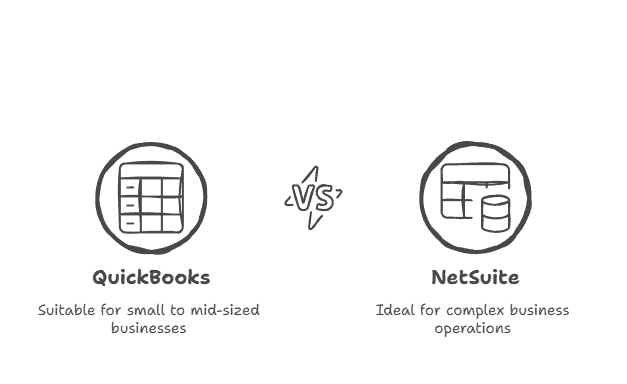
The accounting software sales pitch is seductive: “Your business has outgrown QuickBooks. You need enterprise-grade systems to scale.” We’ve heard this from every major ERP vendor, usually delivered to businesses doing $8M-$12M in revenue who are managing just fine in QuickBooks. The implied message: sophisticated businesses use sophisticated software. When comparing NetSuite and QuickBooks, both NetSuite are often positioned as solutions for growing businesses, with NetSuite marketed as a more robust, scalable platform for complex needs.
The reality: we’ve seen $40M revenue businesses run smoothly on QuickBooks Desktop, and we’ve seen $15M revenue businesses implement NetSuite at enormous cost with minimal benefit. Software sophistication doesn’t correlate with business sophistication. Both NetSuite and QuickBooks are marketed as supporting business growth, but the real decision depends on your actual operational complexity and needs.
The accounting software industry profits from premature upgrades. A $5M revenue company doesn’t need $80,000 of software implementation plus $30,000 in annual licensing. But they might receive that proposal anyway because software companies and implementation consultants make money on complex deployments, not on right-sized solutions.
Our philosophy: stay on simpler systems longer than conventional wisdom suggests. Upgrade only when you hit genuine limitations that create operational friction costing more than the upgrade itself. For most businesses, that threshold arrives much later than software vendors claim.
Most businesses can and should stay on QuickBooks much longer than software vendors recommend—often up to $20M in revenue for straightforward business models. Upgrade to mid-market systems (NetSuite, Acumatica, Sage Intacct) only when you hit specific limitations: multi-entity consolidation requirements, advanced inventory management, complex revenue recognition, or international operations. Enterprise systems (SAP, Oracle, Microsoft Dynamics) rarely make sense below $60M revenue. This guide covers the genuine upgrade triggers, the hidden costs that double your budget, and the decision framework that prevents expensive mistakes.
The QuickBooks Longevity Framework
QuickBooks receives relentless criticism from the accounting software industry, usually from vendors selling alternatives. The criticisms are valid for some businesses and irrelevant for others. Here’s when QuickBooks genuinely works: QuickBooks is well-suited for basic bookkeeping tasks, making it an ideal choice for small businesses and startups that need simple financial management.
QuickBooks Desktop: The Underrated Workhorse
Suitable for businesses up to $20M-$25M revenue when seeking CFO blogs for financial insights & strategies:
– You operate as a single legal entity (or 2-3 entities that can be managed in separate files) – Your inventory management is straightforward (no complex multi-location needs) – You don’t have complex revenue recognition requirements (percentage-of-completion, multi-element arrangements) – You’re not managing sophisticated project accounting across 50+ active projects – Your reporting needs can be met with QuickBooks reports plus spreadsheet analysis – You need to connect and manage multiple credit card accounts as part of your bookkeeping and financial tracking
We work with a distribution company doing $22M annually, entirely in QuickBooks Desktop. They have 8 employees, 450 SKUs with simple inventory management, straightforward buy/sell transactions, and no need for complex reporting beyond P&L by product category. Their bookkeeper produces monthly financials in 3 days. Implementing NetSuite would cost them $120,000 (implementation + first year licenses) and produce zero incremental business value.
The constraint: QuickBooks Desktop is a single-user system with limited concurrent access. In practice, 2-3 people can work in the file simultaneously without issues, but 10 people hitting the system creates problems. If your accounting team is one bookkeeper and one controller, Desktop works fine. If you have a 6-person finance department, you need multi-user architecture.
QuickBooks Online: The Growing Middle Market
Suitable for businesses up to $15M revenue when:
– You need multi-user access (multiple people in the system simultaneously) – You want cloud-based access (work from anywhere) – Your inventory needs are moderate (under 10,000 SKUs, no complex assemblies) – You want modern API integrations with e-commerce, CRM, and other business systems – Your operations are primarily domestic (US-based)
QuickBooks Online’s strength is ecosystem integration. It connects easily to hundreds of other business applications. A service business we work with at $9M revenue runs QuickBooks Online connected to their CRM (HubSpot), time tracking (ClickTime), and payroll (Custo). Data flows automatically between systems, creating real-time financial visibility without enterprise software costs.
QuickBooks offers both online and QuickBooks Enterprise solutions, with QuickBooks Online best suited for small to mid-sized businesses needing flexibility and cloud access, while QuickBooks Enterprise is designed for larger or more complex organizations requiring advanced inventory, reporting, and user controls.
The limitations: QuickBooks Online has weaker inventory management than Desktop, no job costing suitable for construction/manufacturing, limited multi-currency support, and reporting that often requires supplementation with spreadsheets or third-party reporting tools.
Genuine Upgrade Triggers: When QuickBooks Stops Working
Ignore software vendor pitches about “scalability” and “enterprise-grade” systems. Upgrade when you hit actual operational limitations: for example, when preparing annual business taxes becomes cumbersome due to limited reporting, compliance, or data access in QuickBooks.
Multi-Entity Consolidation
If you operate 4+ legal entities that need consolidated reporting, QuickBooks becomes painful. You can run separate QuickBooks files and consolidate in spreadsheets, but this creates version control problems, slows your close process, and increases error risk.
A holding company we worked with acquired their third operating subsidiary and tried managing four QuickBooks files with Excel consolidation. Their monthly close time went from 8 days to 17 days, and they discovered $140,000 in intercompany transactions that weren’t eliminated properly in consolidation. This operational friction—17-day close plus error risk—justified a NetSuite implementation.
Advanced Inventory Management
QuickBooks handles basic inventory: you buy items, you sell items, you track quantities and values. It struggles with:
– Multi-location inventory with automatic transfer orders
– Complex assembly and manufacturing (bill of materials, work-in-process tracking)
– Lot and serial number tracking at a granular level
– Automated reorder points with supplier lead times
– Advanced inventory valuation methods (FIFO by location, average cost by batch)
A manufacturing company at $14M revenue was managing inventory in QuickBooks plus two supplementary spreadsheets tracking lot numbers and WIP. When they discovered a quality issue requiring a recall, they spent 80 hours manually reconstructing which finished goods contained the affected component lot. That single incident justified their upgrade to a manufacturing-specific ERP. With NetSuite inventory management, they gained real-time visibility and automation across all inventory processes, including tracking, order management, and warehouse operations, enabling faster, more informed decisions and improved efficiency.
Complex Revenue Recognition
If you’re dealing with ASC 606 revenue recognition requirements—multi-element arrangements, percentage-of-completion accounting, subscription revenue with complex terms—QuickBooks requires extensive workarounds.
A software company with $8M revenue was manually tracking deferred revenue in spreadsheets, making monthly entries to recognize revenue according to their VSOE calculations. They relied on complicated recognition schedule spreadsheets to track deferred revenue and recognize income over time, especially for multi-deliverable transactions. The process consumed 12 hours monthly and created audit risk. NetSuite’s native revenue management module eliminated the manual process and gave them automatic compliance reporting.
International Operations
QuickBooks handles multiple currencies poorly. If you have foreign subsidiaries, foreign vendors paid in their currency, or meaningful foreign customer bases, QuickBooks creates more problems than it solves.
A distribution company expanding into Canada tried managing CAD transactions in QuickBooks Online. The currency conversion issues, tax complexity (CST/HST/PST across provinces), and reporting problems made their Canadian operations nearly impossible to analyze profitably. Additionally, meeting multiple financial regulatory requirements when operating internationally—such as adhering to different accounting standards and compliance rules—proved to be a significant challenge with QuickBooks. Upgrading to a system with robust multi-currency support was mandatory.
Sophisticated Project Accounting
Construction companies, professional services firms, and others managing dozens of complex projects with detailed job costing often outgrow QuickBooks around $10M-$15M revenue.
An engineering firm with 60 active projects tried tracking labor allocation, subcontractor costs, and change orders in QuickBooks. They couldn’t accurately report project profitability mid-project, couldn’t track committed costs vs. accrued costs, and their project managers had no visibility into budgets vs. actuals. Upgrading to Viewpoint (construction-specific) solved these problems.
Integration with Other Systems
In my CFO travels, I’ve seen countless growing businesses wrestle with what feels like a simple question: NetSuite versus QuickBooks? The reality is, this decision becomes mission-critical when you’re scaling, and the most expensive mistake I see companies make is underestimating how integration capabilities will make or break their financial operations. Consider this: one of my manufacturing clients was running QuickBooks with seven different disconnected systems—their monthly close took 14 working days, and they were hemorrhaging $47,000 annually just in manual reconciliation errors.
NetSuite operates as a comprehensive enterprise resource planning (ERP) system, and here’s what that actually means in practice. I worked with a $12 million services company that implemented NetSuite’s integrated approach—their financial data, order management, project management, and expense management now flow through a single platform. The result? Their month-end close dropped from 12 days to 3.5 days, and they eliminated roughly $23,000 in quarterly manual data entry errors. NetSuite’s direct integration with third-party applications for supply chain management, warehouse management, HR management software, and marketing automation creates what I call “financial data integrity”—real-time visibility into your financial statements without the constant firefighting that comes from disconnected systems.
Here’s where NetSuite becomes a game-changer for mid-sized businesses with complex accounting needs. One of my clients in the subscription software space was managing multiple accounting treatments, advanced financial reporting, and complicated revenue recognition schedules across three different platforms—a nightmare scenario that was costing them approximately $180,000 annually in audit fees alone. NetSuite’s ability to connect with advanced features like subscription billing, purchasing and accounting controls, and comprehensive enterprise resource planning tools allowed them to simplify financial management and reduce their audit preparation time by 67%. The sophistication extends to supporting growth without constantly switching between disconnected systems (which, in my experience, is where companies typically lose 15-22% of their operational efficiency).
QuickBooks presents a different reality entirely. In my consulting practice, I’ve implemented QuickBooks Online and QuickBooks Desktop Enterprise for dozens of companies, and while these platforms do support connections to popular third-party tools for payment processing, expense tracking, and basic CRM, the integrations are often less robust and require manual workarounds that create operational bottlenecks. Consider a $3.2 million distribution company I worked with—they were using QuickBooks Enterprise with “advanced” inventory management functionality, but it still fell short of seamless integration. The result: they were spending 47 hours monthly on manual data reconciliation and experiencing a 12% variance in their inventory accuracy. For small businesses with straightforward accounting processes and basic cash flow tracking needs, QuickBooks’ integrations may be sufficient. But here’s what’s particularly fascinating—as your business expands beyond approximately $2-3 million in annual revenue, QuickBooks’ integration limitations typically create what I call “complexity debt,” where the cost of manual processes and error correction begins exceeding the software savings by 3:1 ratios.
The reality is that your accounting software decision depends entirely on your business trajectory and operational complexity. If your business requires a complete financial management solution with seamless integration across multiple departments and systems (and you’re targeting growth beyond $5 million annually), NetSuite becomes the strategic choice that prevents costly operational restructuring later. For businesses with simpler operations currently below $1-2 million in revenue, QuickBooks remains cost-effective—but anticipate supplementary tools and manual processes as complexity increases. In my experience, companies that properly assess their integration requirements upfront avoid an average of $340,000 in switching costs and operational disruption when they eventually scale beyond their initial platform’s capabilities.
The Hidden Costs That Double Your Budget
Software vendors quote license costs. The real expense is implementation, which typically equals or exceeds license costs for mid-market systems. Managing data and functionality users is also a key consideration during system upgrades, as proper controls are essential to ensure security, enforce segregation of duties, and reduce the risk of errors or fraud.
NetSuite Implementation Reality
License costs: $3,000-$6,000 monthly depending on modules and user count = $36,000-$72,000 annually.
Implementation costs: $40,000-$150,000 depending on complexity. A “straightforward” NetSuite implementation for a $15M revenue company typically costs $60,000-$80,000 and takes 4-6 months.
Ongoing costs beyond licenses:
– Third-party reporting tools (often needed): $4,000-$12,000 annually
– Integration maintenance: $6,000-$15,000 annually
– Customization updates when NetSuite releases upgrades: $3,000-$8,000 annually
– Additional consulting for process changes: $8,000-$20,000 annually
True 5-year cost: $400,000-$600,000 for a mid-market business implementing NetSuite.
We’re not suggesting NetSuite is bad—when you need its capabilities, it delivers value. NetSuite offers comprehensive features such as advanced reporting, automation, and scalability, making it a robust ERP solution for growing businesses. But a $15M revenue business considering NetSuite should understand they’re making a half-million-dollar decision, not a $36,000/year decision.
The Data Migration Tax
Every system conversion includes data migration: moving customers, vendors, products, transactions, and balances from your old system to your new one. Accurately migrating accounting data is critical to ensure reliable financial reporting and maintain the integrity of your new system. This is painful, expensive, and riskier than vendors acknowledge.
Options:
- Full historical migration: Bring all historical transactions into the new system. Clean, complete data, but expensive ($20,000-$50,000 for complex businesses) and time-consuming. 2. Balance-forward migration: Bring current balances but not transaction history. Keep old QuickBooks file for historical reference. Cheaper and faster ($5,000-$15,000) but you have two systems to reference for historical analysis. 3. Partial historical migration: Bring 1-2 years of history, archive the rest. Middle ground approach.
Most businesses underestimate migration complexity. A distribution company estimated 40 hours for data migration. Actual time: 160 hours over 8 weeks, because product data was inconsistent (same item with different SKUs in different periods), vendor names weren’t standardized, and customer addresses had errors that prevented automated import.
The Productivity Valley
During implementation, your team is learning a new system while maintaining the old one. Productivity drops 20-40% for 2-4 months during transition. For a 5-person finance team at average loaded cost of $75,000 each, that’s $375,000 annually = $31,000 monthly. A 3-month productivity hit costs $93,000 in lost productivity.
Factor this into your upgrade economics: if an upgrade costs $80,000 in hard dollars plus $90,000 in productivity loss, the true cost is $170,000.
The Upgrade Decision Framework
Use this framework to evaluate whether upgrade timing is right:
Step 1: Document Your Operational Pain
List specific problems with your current system: • Multi-entity consolidation takes 6 days monthly • Can’t track inventory by location, causing stockouts • Project profitability reporting requires 12 hours of manual Excel work monthly • Revenue recognition requires manual journal entries with error risk
Quantify the cost: hours spent, error frequency, opportunities missed.
Step 2: Confirm the New System Solves These Problems
Don’t assume. Verify through demos and reference checks that the proposed system actually addresses your specific pain points. For businesses with complex needs, NetSuite ERP is a comprehensive, cloud-based solution designed to manage multiple business processes, financial reporting, and scalability. A construction company assumed NetSuite would solve their job costing problems. After implementation, they discovered NetSuite’s project module wasn’t designed for construction workflows. They needed a construction-specific layer on top of NetSuite, adding another $40,000.
Step 3: Calculate True Total Cost– Licenses (5-year view) – Implementation – Data migration – Training – Productivity loss during transition – Ongoing support and customization – Third-party tools and integrations
Step 4: Evaluate Alternatives
Before committing to NetSuite or similar, consider: – Can you solve the problem with QuickBooks + supplementary tools? (Often yes for < $15M revenue businesses) – Are there industry-specific systems that fit better? (Often yes for construction, manufacturing, distribution) – Can you wait 12-18 months and upgrade from a stronger position?
A professional services firm almost upgraded from QuickBooks to NetSuite at $11M revenue due to project tracking limitations. Instead, they implemented an industry-specific PSA tool (Kantata) that integrated with QuickBooks, solving their project tracking needs for $18,000 annually vs. $120,000+ for NetSuite. At $20M revenue, they may need NetSuite, but the 3-year delay saved them $300,000+ while maintaining operational effectiveness.
When to Choose Which System
Here’s our general guidance based on revenue and complexity:
QuickBooks Desktop: Up to $20M revenue for simple business models (single entity, straightforward inventory, domestic operations, basic project tracking). QuickBooks Desktop allows small businesses to manage accounts receivable data by tracking customer invoices, payments, and outstanding balances to help improve cash flow visibility.
QuickBooks Online: Up to $15M revenue for businesses needing cloud access, multi-user support, and strong third-party integrations. Better for service businesses than product/inventory businesses. QuickBooks Online provides dashboards and reports for analyzing accounts receivable data, making it easier to monitor invoice status and manage collections.
Mid-Market ERP (NetSuite, Sage Intacct, Acumatica): $15M-$100M revenue businesses with multiple entities, complex inventory, sophisticated revenue recognition, or international operations. Also appropriate earlier for businesses with institutional investors requiring SOC compliance and audit-ready controls. These systems offer real-time visibility into billing and financial activity, supporting consolidated invoicing, automated billing workflows, and transparent financial processes for more complex business needs.
Industry-Specific Systems (Viewpoint, Foundation, Prophet 21): When industry-specific functionality (construction job costing, distribution warehouse management, manufacturing MRP) is critical. Often better than generic ERP even at lower revenue levels.
Enterprise ERP (SAP, Oracle, Microsoft Dynamics): $60M+ revenue, or earlier for manufacturing companies with extremely complex supply chains, multi-national operations with dozens of entities, or regulated industries with intense compliance requirements.
Our accounting firm says we’ve outgrown QuickBooks at $8M revenue and need to upgrade—are they right?
Accounting firms often push upgrades earlier than necessary because they’re (a) genuinely concerned about limitations they’ve seen at other clients, (b) sometimes receiving referral fees from software vendors, or (c) frustrated with QuickBooks limitations that matter to them but may not matter to you. The question isn’t “have you outgrown QuickBooks” but “are you experiencing specific operational pain that QuickBooks can’t solve?” If your monthly close is under 10 days, your team isn’t constantly working around system limitations, and you can answer your strategic financial questions, you probably haven’t outgrown QuickBooks. Ask your accounting firm: what specific operational problems will the upgrade solve? How much time/money will those solutions save? Then compare that to the $150,000-$300,000 true cost of mid-market ERP implementation. Often the ROI doesn’t justify the upgrade until $15M-$20M revenue.
We’re implementing NetSuite and the vendor quoted $45,000 for implementation—should we expect that to increase?
Almost certainly yes. Initial implementation quotes typically cover basic configuration: chart of accounts setup, customer/vendor migration, basic workflow configuration, and training. They rarely include: custom reports development, integration with other business systems (CRM, e-commerce, warehouse management), complex data migration (if you have inconsistent historical data), change management and additional training beyond initial sessions, or customization for industry-specific workflows. Budget 150-200% of initial quote for realistic total implementation cost. A $45,000 quote typically becomes $70,000-$90,000 in actual cost. Protect yourself with fixed-price implementations that specify exactly what’s included, or time-and-materials contracts with not-to-exceed caps. Also budget for 6-12 months of post-implementation support to handle inevitable issues and optimization needs.
Should we upgrade before or after bringing on institutional investors or planning an exit?
This depends on timeline and current system limitations. If you’re seeking institutional investment in the next 6-12 months and currently running QuickBooks, consider upgrading before fundraising if (a) your business complexity genuinely requires it (multi-entity, complex revenue recognition, sophisticated inventory), or (b) you’re in a competitive fundraising process where operational sophistication signals matter. However, if your QuickBooks system is running well and producing trustworthy financials, many investors care more about financial performance and reporting quality than software sophistication. For exit planning: upgrade 12-24 months before planned exit if your current system can’t produce the reporting that buyers will require in due diligence (consolidated multi-entity financials, detailed customer/product analytics, automated revenue recognition). But don’t upgrade within 6 months of a planned transaction—the disruption and productivity hit during transition will hurt more than any benefit. If you’re planning to exit within 12 months and QuickBooks is working, stay with it and ensure your reporting is clean and comprehensive through supplementary tools if needed.
Further Reading
Browse more articles in the CFO Pro+Analytics Knowledge Base for in-depth financial frameworks, models, and strategies tailored to your business.
Ready to take action? Explore our FP&A Services → to see how we partner with founders and operators to build financial clarity.
